
How to Improve Your Business Security: A Texas Locksmith’s Guide
TXP Locksmith Team
Improving your business security does not have to mean replacing everything at once. Most businesses can raise their protection in stages, starting with the doors and keys they already have. Some of the most effective changes cost very little. What matters is doing them in the right order, so your effort goes where the real gaps are.
This guide goes through it the way a locksmith would walk your building, from the hardware on your doors to who holds your keys, when to change your locks, and the upgrades worth making once the basics are right.
Start with the locks and doors you already have
Before adding anything new, it helps to know whether the locks you already have are right for a business. Commercial doors take heavy daily use, and hardware built for a home does not always hold up to it. A short look at each entrance shows you where you are exposed and where you are already in good shape.
- Commercial-grade locks: built for constant use and to resist forced entry, so a lock that sticks, feels loose, or came with the building years ago is worth replacing.
- Back and side doors: usually the most exposed because they sit out of sight, and they need a solid deadbolt rather than just a latch.
- Glass storefront doors: aluminum-framed entrances take specific narrow-stile hardware and hook bolts, not a standard lock forced to fit.
- Doors that do not latch on their own: a door that does not close and seat fully is open in practice, and a misaligned strike or a worn closer is a quick fix.
- Ground-floor windows: easy to overlook, and a simple window lock closes an obvious way in.
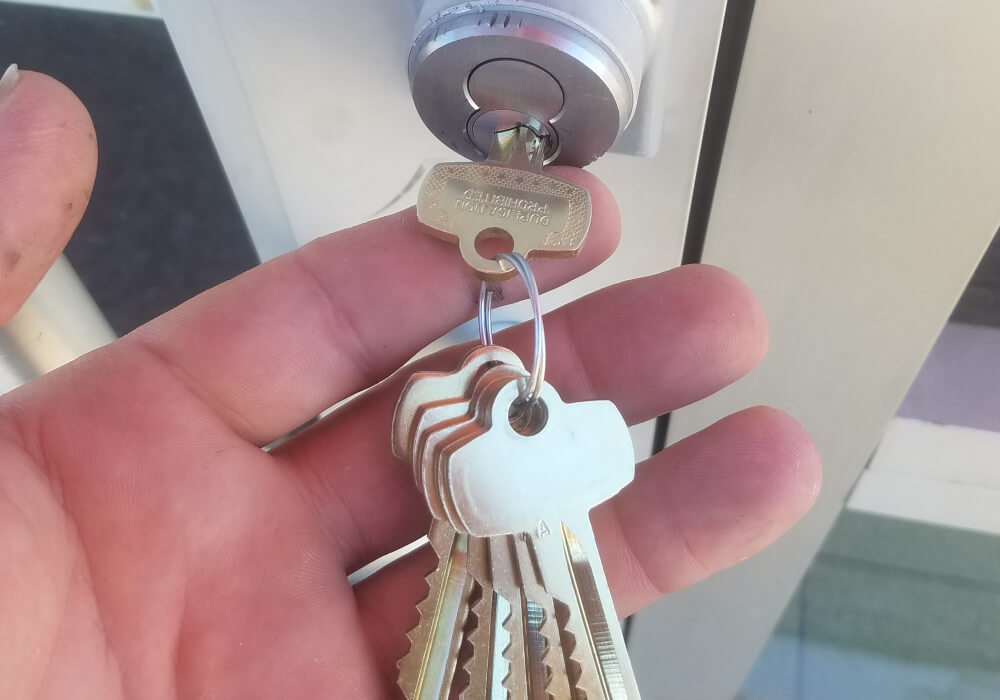
Control who has keys to your business
It is common to find a business where more keys are out there than anyone can account for. A manager who left last year still has a set at home. A contractor was given one for a short job and never returned it. None of it is careless, it just builds up over time, and it quietly widens the circle of people who can open your doors. Getting that back under control is one of the strongest improvements you can make, and it does not involve buying a single new lock.
- A master key system: a manager opens everything with one key, while each employee opens only the doors their role needs, so access matches responsibility.
- Restricted keys: cut only by an authorized locksmith with your permission, so no one copies them at a hardware store without your say.
- A key record: a simple list of who holds which key, which makes it easy to see where a gap has opened.
- Rekeying when keys go missing: when a key or a whole set is unaccounted for, rekeying the affected doors makes those keys useless.
Setting up a master key system properly is detailed work, and it is where a lot of our commercial locksmith in College Station jobs start, since many offices and clinics near campus outgrew their original key setup.
Expert Tip
The single cheapest upgrade most businesses can make is a key log. Before spending on hardware, write down every key that exists and who holds it. It often tells you more about where you are exposed than the locks themselves do.
Change or rekey your locks at the right times
There is no need to change your locks on a schedule, but there are moments when it is the right move. When a member of staff leaves, or a tenant clears out of a unit over a weekend, the keys they held do not leave with them unless you act. These are the points where you can no longer be sure who has access, and a quick rekey settles it.
- When an employee leaves: especially a manager or a keyholder, rekey the doors they could open, however they left.
- When a tenant moves out or in: the last occupant and anyone they gave copies to should lose access before the next one takes over.
- After a break-in or an attempt: the hardware may be compromised and the person now knows your door, so new locks are part of closing it off.
- When a key is lost: a lost master can affect a whole set, and rekeying brings it back under control.
It also helps to know the difference between rekeying and replacing. Rekeying changes the pins inside the lock so old keys stop working, while the lock stays on the door. Replacing makes sense when the lock is worn, outdated, or damaged. A good locksmith will tell you which one the door needs rather than reaching for the costlier option, and our commercial locksmith in Waco handles these turnover rekeys often for storefronts changing hands.
Upgrade to access control
Once the basics are solid, technology can take things further and make the day to day easier. It does not replace your locks. It adds control on top of them, and a physical key or override stays as a backup for when the power or a battery fails, so a dead system never leaves you shut out of your own building.
- Codes, cards, or fobs: staff open doors with a credential instead of a key, and you remove someone’s access in seconds when they leave.
- Electric strikes and maglocks: the door hardware that releases or holds a door under an access system, so a credential or a button lets someone in and it secures again on its own.
- An access record: many systems note who opened which door and when, which is useful when you need to check who was in early or after hours.
- Scheduled access: give a cleaner or a delivery access to certain doors within set hours, then have them lock again on their own.
- Keypad and smart locks: useful on a room that changes hands often, where changing a code beats cutting a new key each time.
- Manage it from your phone: newer systems let you lock, unlock, and check access remotely, which helps most when you run more than one location.
You do not have to adopt all of this at once, and you do not need to be technical to use it. Plenty of businesses start with one or two doors and grow from there. A small office with steady staff may be fine with good locks and a key log, while a clinic with rotating staff or a property with several tenants gains a lot from access control. Our access control systems page covers how these are planned around a building you already run.
Whatever combination fits your business, TXP Locksmith handles the fitting and the setup, so your locks, keys, and access all work together rather than as separate pieces.
Locks and access are where a locksmith focuses, but they are not the whole picture. Alarms, cameras, and good exterior lighting all work alongside them. An alarm draws attention, a camera gives you a record, and a well-lit entrance is far less inviting to try in the first place.
Consider high-security locks where they matter
Standard commercial locks are enough for most doors, but a few spots in a building are worth more. High-security locks use restricted keyways that cannot be copied without your authorization, and they stand up to picking and drilling far better than ordinary hardware.
They earn their place on the doors that guard the most, an office with cash or records, a stockroom of valuable inventory, or a main entrance on a building that has been hit before. There is no need to fit them everywhere. On the few doors that matter they make a real difference, and leaving the rest on good standard locks keeps the cost sensible. Our commercial locksmith in Dallas fits high-security hardware where it is warranted and keeps standard locks on the rest.
Secure back doors, stock rooms, and exit doors
The front door usually gets the good lock and the attention. The delivery door at the back, the one propped open on busy mornings, tends to get a worn latch and little thought, and in the businesses we work in that is almost always where the trouble starts. It pays to look at every way into the building, not just the obvious one.
- Back and delivery doors: out of sight and often the lightest hardware, so they deserve solid deadbolts and controlled access where fire code allows.
- Storage and stock rooms: worth locking on their own, so general staff access does not automatically include your inventory.
- Cash and record areas: rooms holding money, customer records, or sensitive files belong on restricted keys or their own credential, and a good safe adds another layer for cash and valuables.
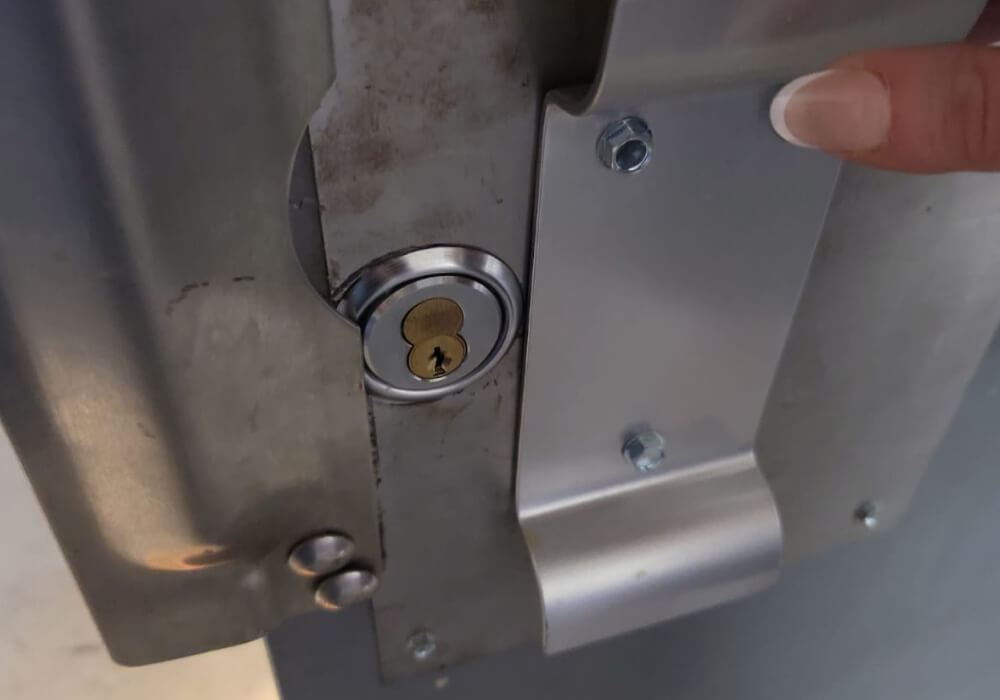
- Exit doors with panic hardware: the push bars that let people out quickly are often required by fire code, and they need to latch properly when the door shuts to stay secure.
- Vendor and contractor access: give outside crews access to only what they need for only as long as they need it, then close it off.
Expert Tip
Once a quarter, walk your building at closing time and check every exterior door by hand. A door that no longer latches on its own is the most common weak point we find, and usually one of the easiest to put right.
When to bring in a commercial locksmith
Most of the work that actually secures a building is skilled, hands-on work, and it is where a commercial locksmith earns their keep. Installing locks and exit hardware, wiring up an access control system, cutting a master key suite, or repairing a lock and judging when it has reached the point of replacing, all of it takes proper training, the right tools, and commercial-grade parts fitted correctly the first time. A lock set slightly off, or an exit device that does not latch, becomes a weak point rather than a safeguard, so this is work worth putting in professional hands. For that reason there are real reasons to bring it to a commercial locksmith rather than a general handyman.
- Installation and upgrades: new locks, access control, and exit hardware, fitted and aligned so they work properly and last.
- Rekeying, repair, and replacement: keeping your existing hardware secure, with an honest call on whether a lock is worth repairing or has reached the point of replacing.
- Compliance and planning: exit devices and fire-rated hardware that pass inspection, and a master key or access plan set up right from the start.
Whoever you call, choose a locksmith who is licensed and insured, so the work is done to standard and you are covered if anything goes wrong.
What improving your business security costs
How much this costs depends on how far you take it and how many doors are involved, so the honest answer is a range. For a newer or smaller business watching every dollar, the reassuring part is that the steps that help most are also the least expensive. Rekeying, keeping a key log, and fixing a door that will not latch cost very little and take real risk off the table.
Bigger jobs such as new commercial hardware, exit devices, or an access control system cost more, because the parts and the labor are heavier. Whatever the scope, ask for an itemized quote before the work starts, so you are paying for what genuinely improves your security. Our guide on what a locksmith costs in Texas lays out the ranges for common commercial jobs.
Improve your business security with a licensed Texas locksmith
Whether you need to rekey after a staff change, plan a master key system, add high-security locks, or move to access control, TXP Locksmith secures businesses across Texas, from Austin and Temple to Killeen and San Marcos. Our local teams work every day in Dallas, College Station, and Waco. Call (800) 928-9129 for a clear quote before any work begins.
Frequently Asked Questions
How often should I review who has keys to my business?
Review access whenever staff change, and do a fuller check once or twice a year even if nothing seems different. A key log turns this into a five-minute job, because you are reading a list rather than trying to remember who has what.
Can I improve security without replacing my current locks?
Often, yes. If your locks are sound, controlling who holds keys and rekeying when that is unclear handle most of the risk. New hardware only becomes necessary when a lock is worn out or damaged.
Are keypad and smart locks secure enough for a business?
For the right doors, yes. A good commercial keypad or smart lock is built for heavy use and lets you change a code instead of cutting keys. Many businesses use them on interior or single doors and keep high-security locks on the main entrances.
How quickly can a locksmith rekey after an employee leaves?
Usually the same day. Rekeying is a fast job on most commercial locks, which is why it is the standard move when a keyholder leaves and you want their access gone without waiting on new hardware.